> ## Documentation Index
> Fetch the complete documentation index at: https://docs.chatnode.ai/docs/llms.txt
> Use this file to discover all available pages before exploring further.
# Chat History
> Chat History is a valuable feature for tracking and analyzing past conversations to improve agent performance and user experience.
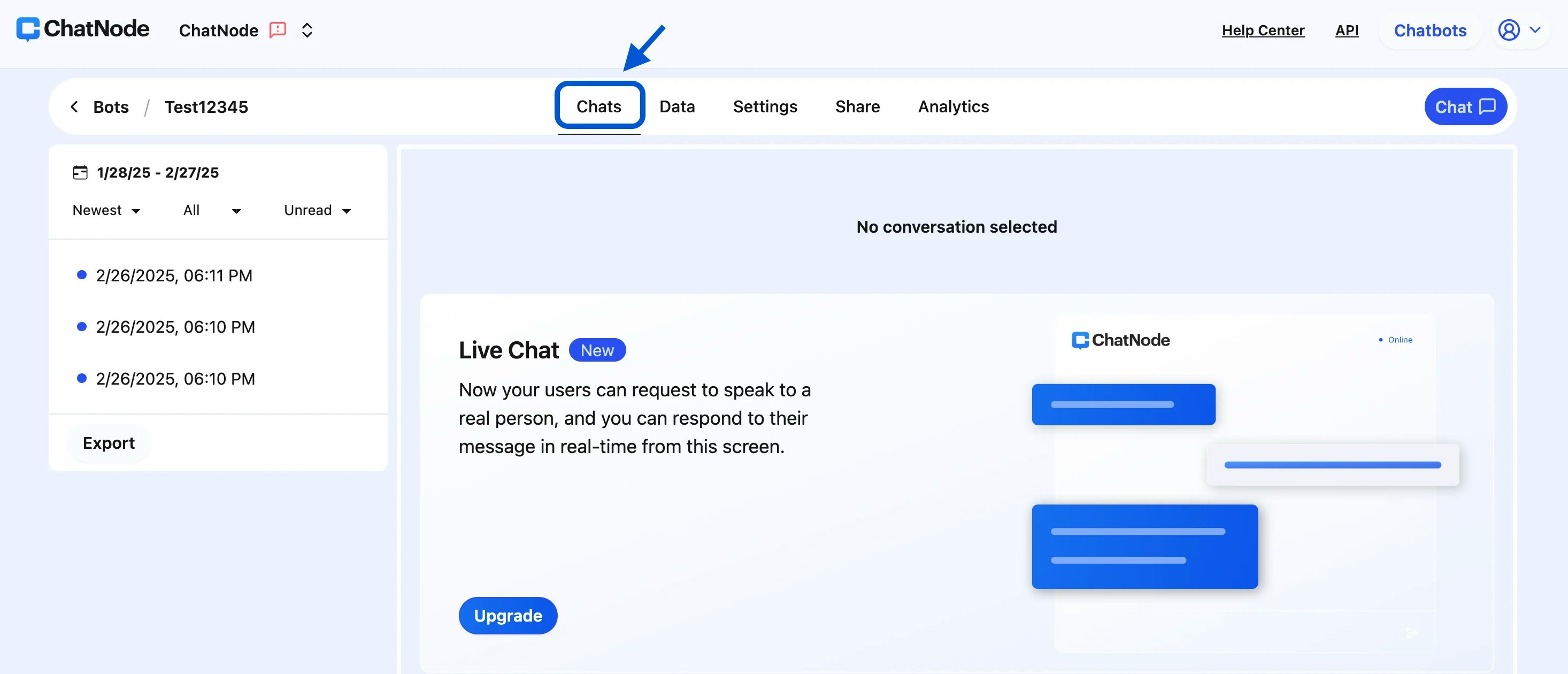
The **Chats** tab in ChatNode is a powerful feature that allows you to view, filter, and manage past interactions your agent has had with users. This feature provides insight into user queries, helps you monitor agent performance, and offers tools to analyze conversations. Here’s a breakdown of what you can do within the **Chats** tab.
#### Key Features of the Chats Tab
1. **Conversation History**
The Chats tab displays all previous conversations that users have had with your agent. You can see the full conversation history, allowing you to review specific user interactions, monitor response accuracy, and gain insights into common questions or issues. This feature is useful for improving your agent's responses and enhancing customer experience.
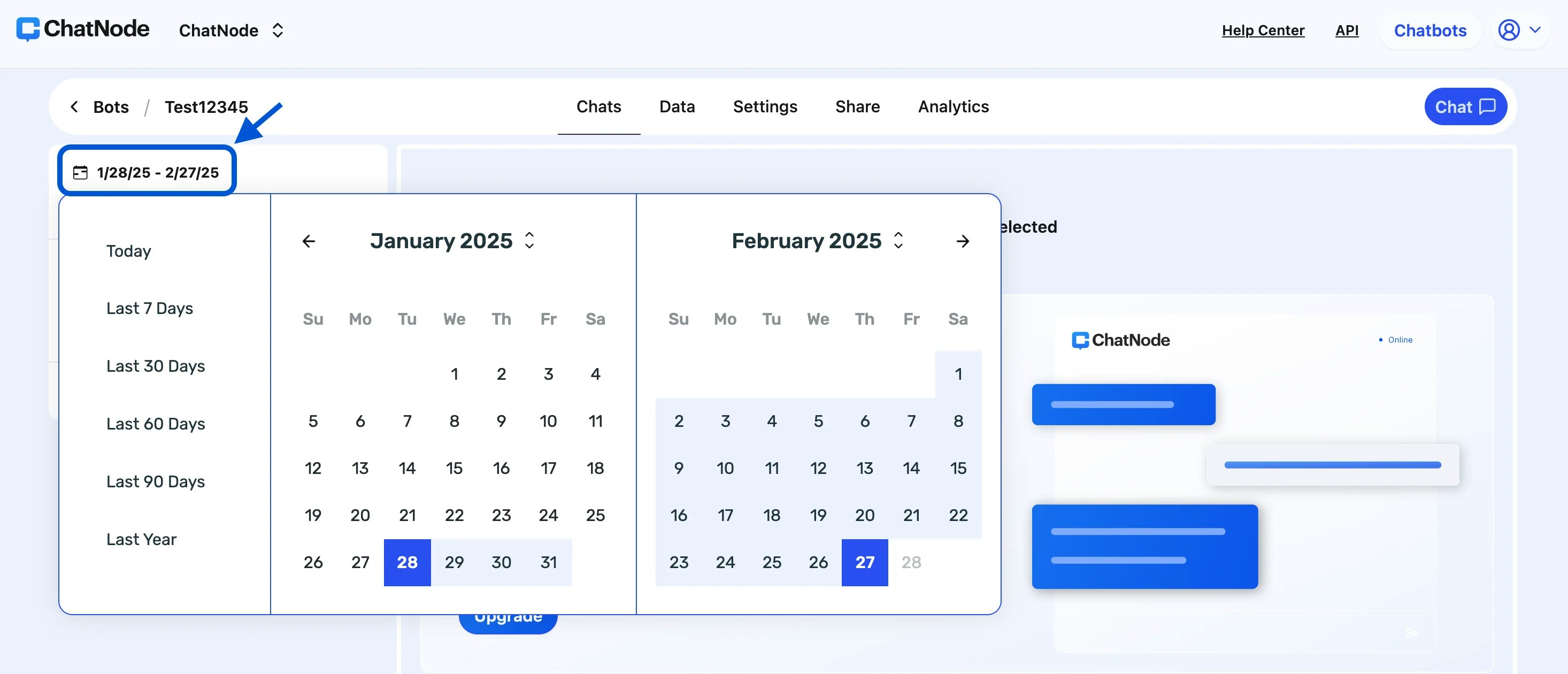
 2. **Date Picker for Filtering**
To make it easy to find conversations from a particular period, the Chats tab includes a **Date Picker** tool. With this tool, you can:
* Select a specific date range, such as a single day, week, month, or custom range, to view conversations during that period.
* Filter interactions to analyze trends or performance changes over time.
This functionality is ideal for businesses that want to track engagement during specific events or campaigns.
2. **Date Picker for Filtering**
To make it easy to find conversations from a particular period, the Chats tab includes a **Date Picker** tool. With this tool, you can:
* Select a specific date range, such as a single day, week, month, or custom range, to view conversations during that period.
* Filter interactions to analyze trends or performance changes over time.
This functionality is ideal for businesses that want to track engagement during specific events or campaigns.
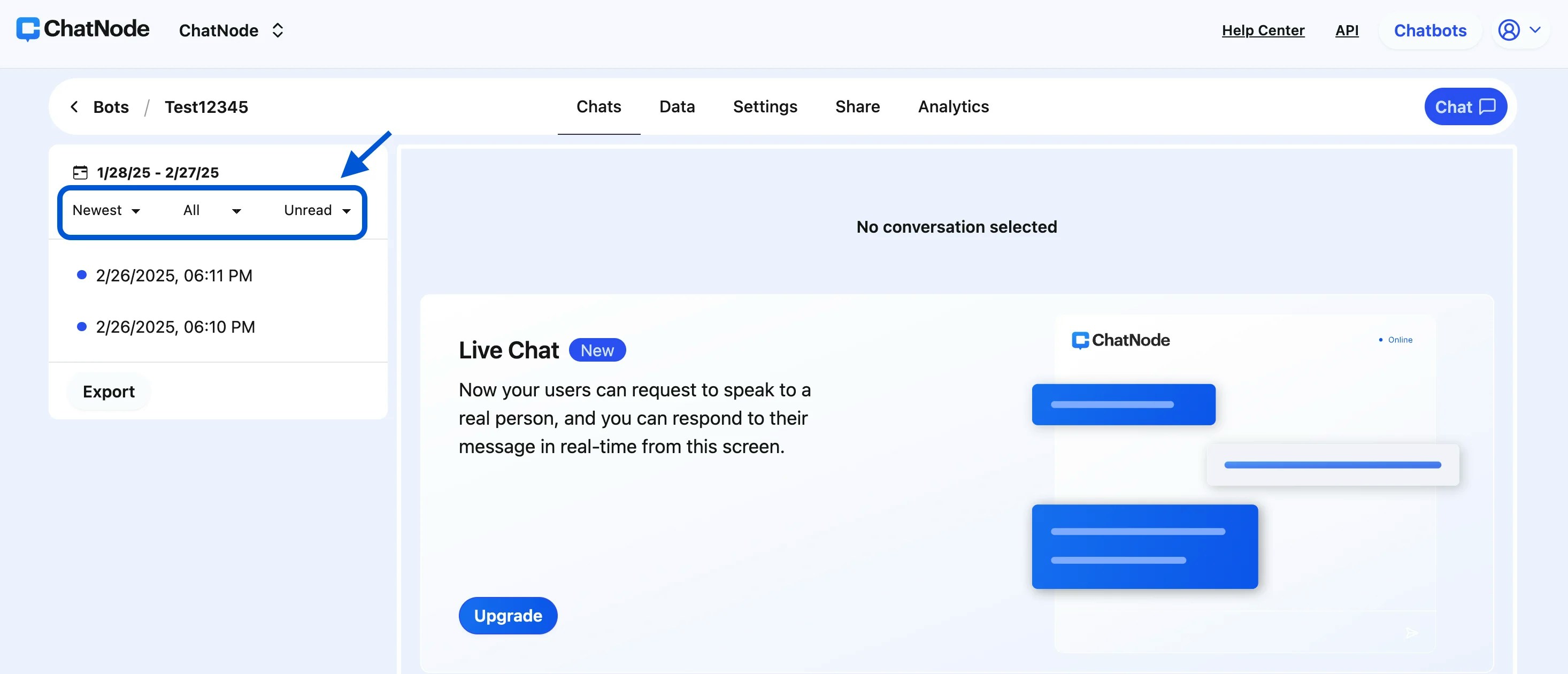
 1. **Sorting Options**
Conversations can be sorted by date, allowing you to quickly access the most recent or oldest interactions. Sorting options help streamline your workflow and make it easier to locate specific interactions.
1. **Sorting Options**
Conversations can be sorted by date, allowing you to quickly access the most recent or oldest interactions. Sorting options help streamline your workflow and make it easier to locate specific interactions.
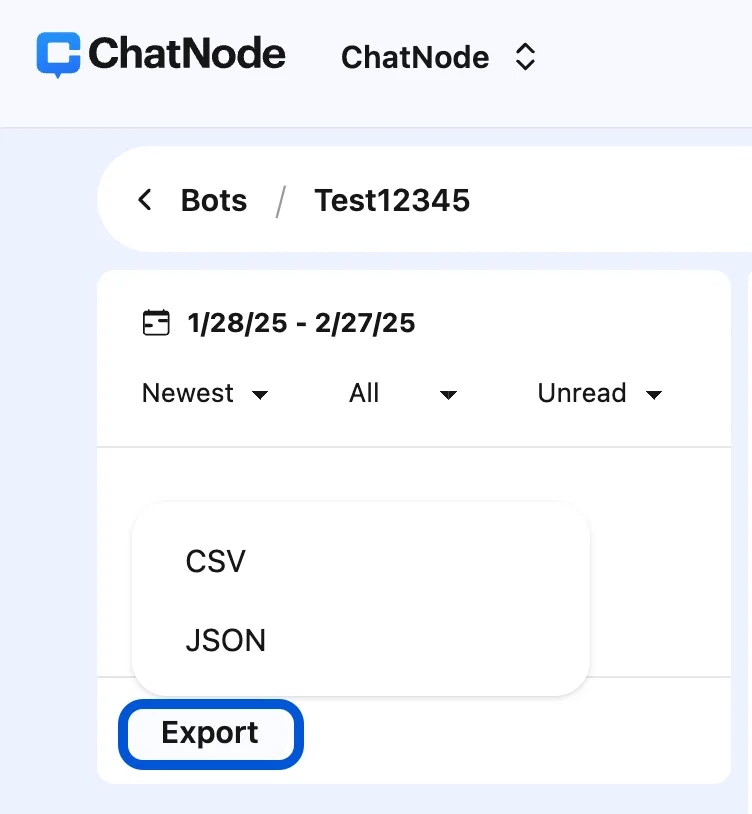
 2. **Export Conversations**
ChatNode offers an export feature that allows you to download conversation data for further analysis. You can export conversations in two formats:
* **CSV**: Ideal for spreadsheet analysis and bulk data processing.
* **JSON**: Useful for integrations with other tools or applications that process JSON data.
To export, simply click the **Export** button, select your preferred format (CSV or JSON), and download the data for offline access.
2. **Export Conversations**
ChatNode offers an export feature that allows you to download conversation data for further analysis. You can export conversations in two formats:
* **CSV**: Ideal for spreadsheet analysis and bulk data processing.
* **JSON**: Useful for integrations with other tools or applications that process JSON data.
To export, simply click the **Export** button, select your preferred format (CSV or JSON), and download the data for offline access.
 With these features, the Chats tab empowers you to continuously improve your agent's responses, making customer interactions more effective and meaningful.