> ## Documentation Index
> Fetch the complete documentation index at: https://docs.chatnode.ai/docs/llms.txt
> Use this file to discover all available pages before exploring further.
# Website
> Train your agent using website content by linking relevant URLs.
One of the most powerful training methods is through URLs. By selecting the **“Websites”** option and entering a URL, the platform will crawl the site starting from the provided URL, identifying all sub-pages linked beneath it. The system will extract content from these URLs and use the information to enrich the knowledge base. Here’s how to get started:
1. Navigate to the **'Data'** tab.
2. Under **'Sources'**, click on **'Websites'**.
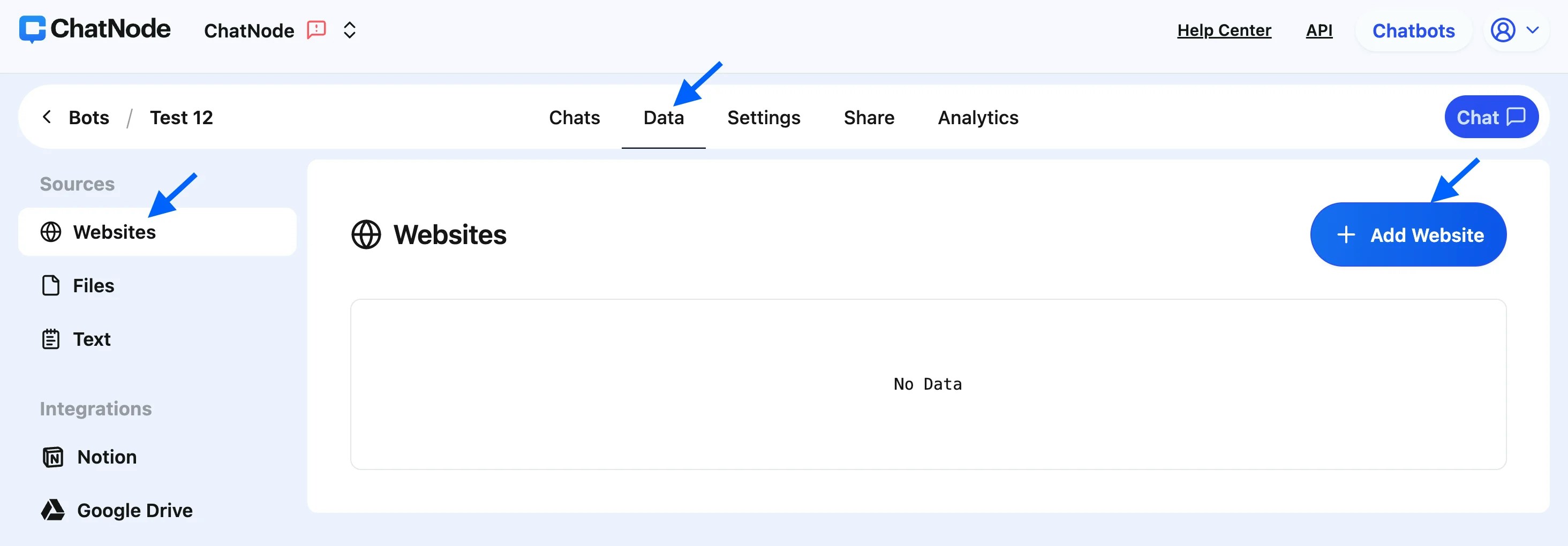 3. Select **'Add Website'** and input the URL you want to train from.
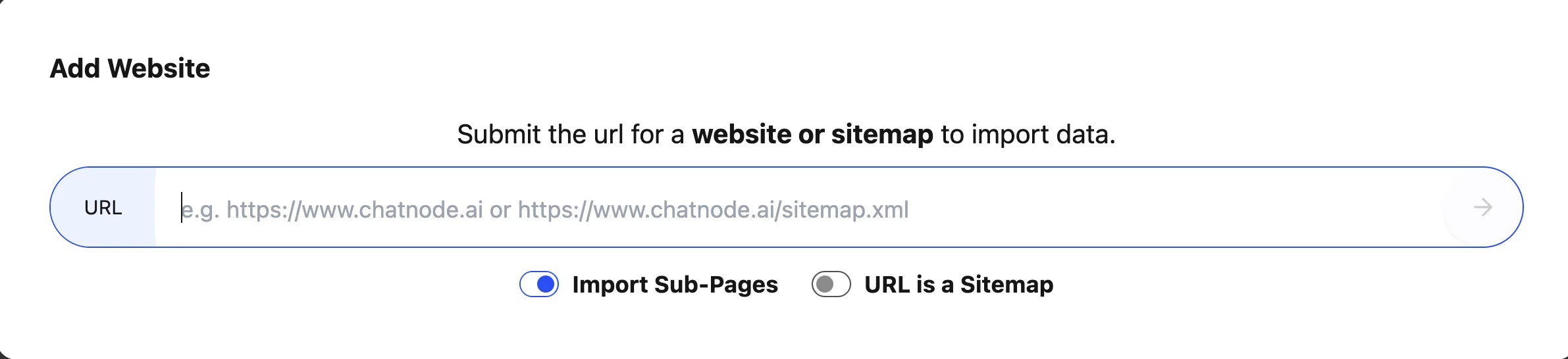
4. Toggle the **'Import Sub-Pages'** button to include all linked sub-pages.
5. Click the **'Arrow'** to proceed.
3. Select **'Add Website'** and input the URL you want to train from.
4. Toggle the **'Import Sub-Pages'** button to include all linked sub-pages.
5. Click the **'Arrow'** to proceed.
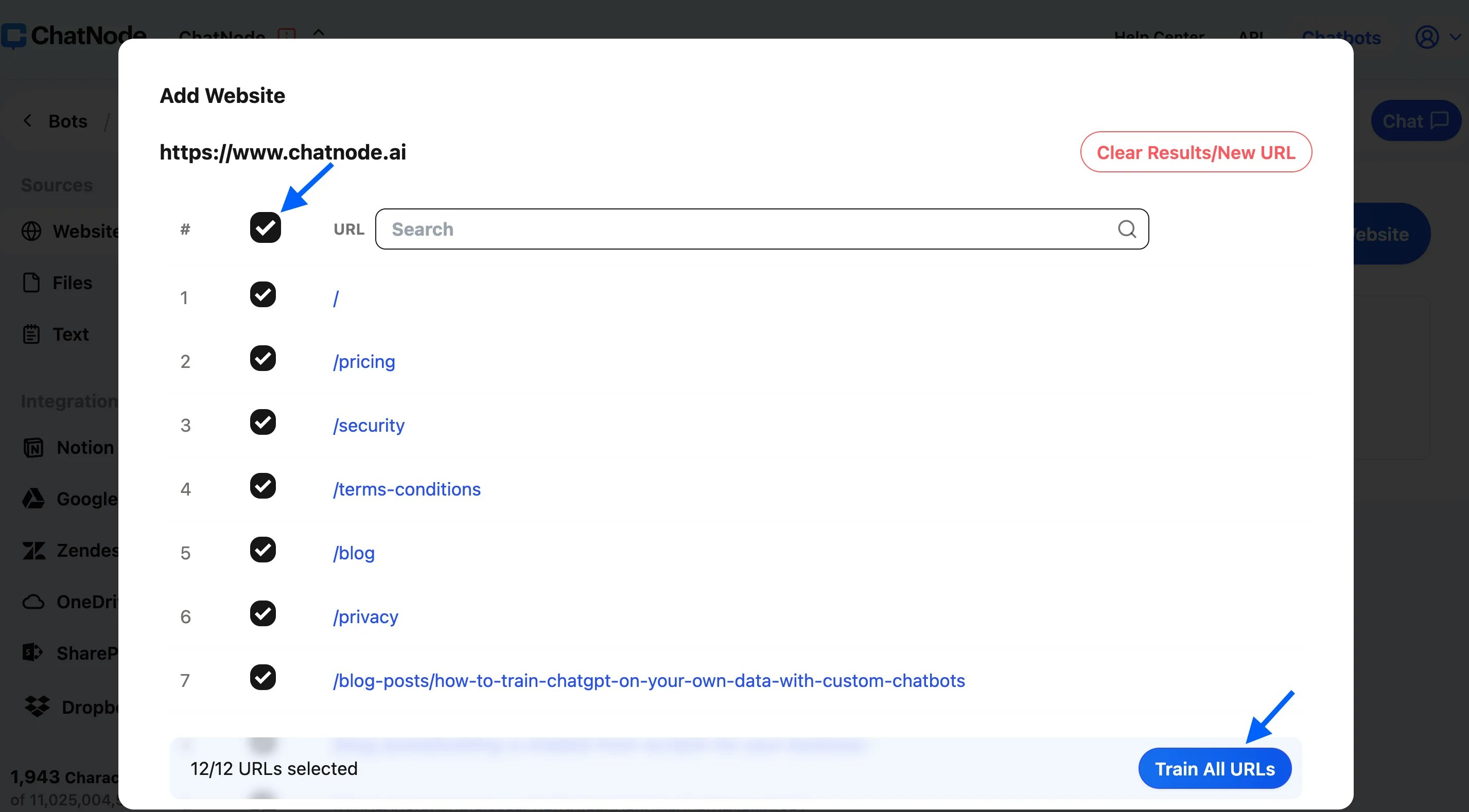
 6. A list of URLs will appear—use the checkboxes to select specific URLs or check all of them.
7. Finally, click **'Train All URLs'** to integrate the content into your agent's knowledge base.
6. A list of URLs will appear—use the checkboxes to select specific URLs or check all of them.
7. Finally, click **'Train All URLs'** to integrate the content into your agent's knowledge base.
 This method ensures your agent has access to a comprehensive dataset directly from your website.
### **Retraining URLs**
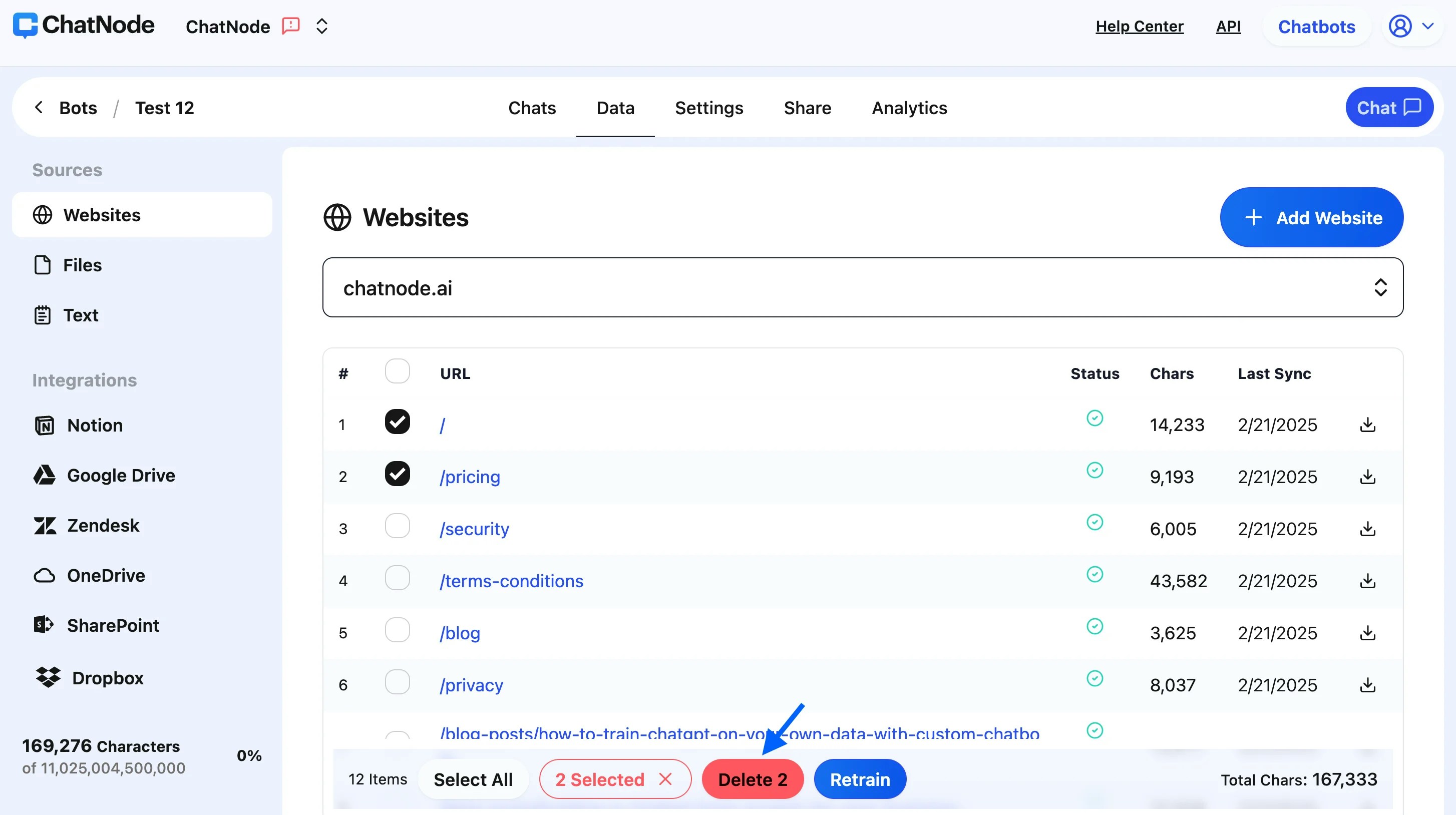
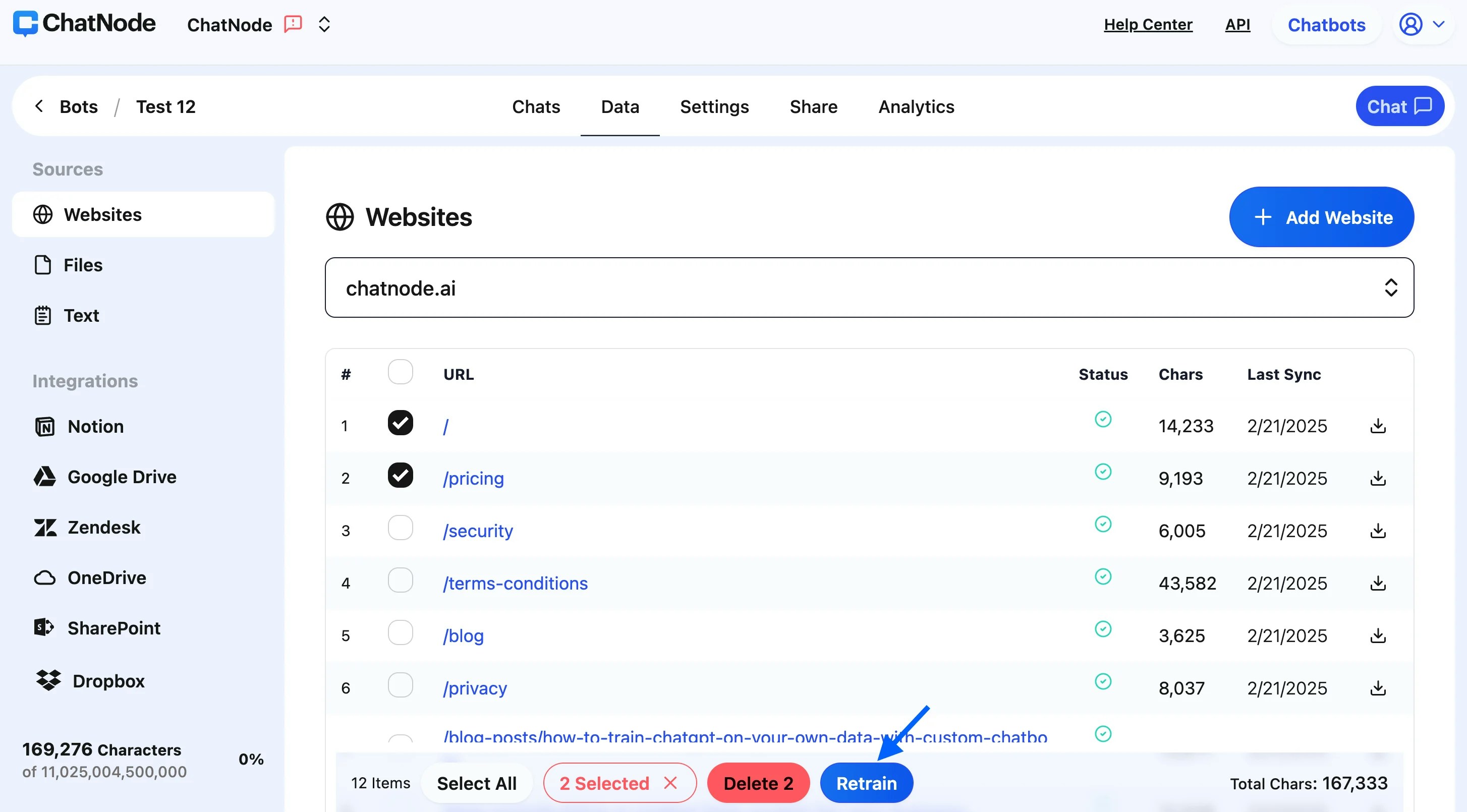
If you've updated content on a webpage and want the agent to relearn from it, follow these steps:
1. **Select the URL(s) to Retrain**
* Find the list of URLs that have been added to your agent’s knowledge base.
* Tick the checkbox next to the URL(s) you want to retrain.
2. **Click "Retrain"**
* Once you've selected the URLs, click the **"Retrain"** button.
* The system will then fetch the updated content from the webpage and incorporate it into your agent’s responses.
This method ensures your agent has access to a comprehensive dataset directly from your website.
### **Retraining URLs**
If you've updated content on a webpage and want the agent to relearn from it, follow these steps:
1. **Select the URL(s) to Retrain**
* Find the list of URLs that have been added to your agent’s knowledge base.
* Tick the checkbox next to the URL(s) you want to retrain.
2. **Click "Retrain"**
* Once you've selected the URLs, click the **"Retrain"** button.
* The system will then fetch the updated content from the webpage and incorporate it into your agent’s responses.
 ### **Deleting URLs**
If you want to remove outdated or incorrect sources, follow these steps:
* **1. Select the URL(s) to Delete**- Tick the checkbox next to the URL(s) you want to remove.
* **2. Click "Delete"**- Once selected, click the **"Delete"** button to remove the URLs from your agent’s training data.
### **Deleting URLs**
If you want to remove outdated or incorrect sources, follow these steps:
* **1. Select the URL(s) to Delete**- Tick the checkbox next to the URL(s) you want to remove.
* **2. Click "Delete"**- Once selected, click the **"Delete"** button to remove the URLs from your agent’s training data.