> ## Documentation Index
> Fetch the complete documentation index at: https://docs.chatnode.ai/docs/llms.txt
> Use this file to discover all available pages before exploring further.
# AI Assist
> AI Assist offers smart, real-time support and task automation.
AI Assist is an innovative tool designed to elevate agent functionality by offering intelligent and personalized guidance in creating system prompts. Integrated within platforms like ChatNode, AI Assist simplifies the process of tailoring agent interactions to match business goals and customer expectations.
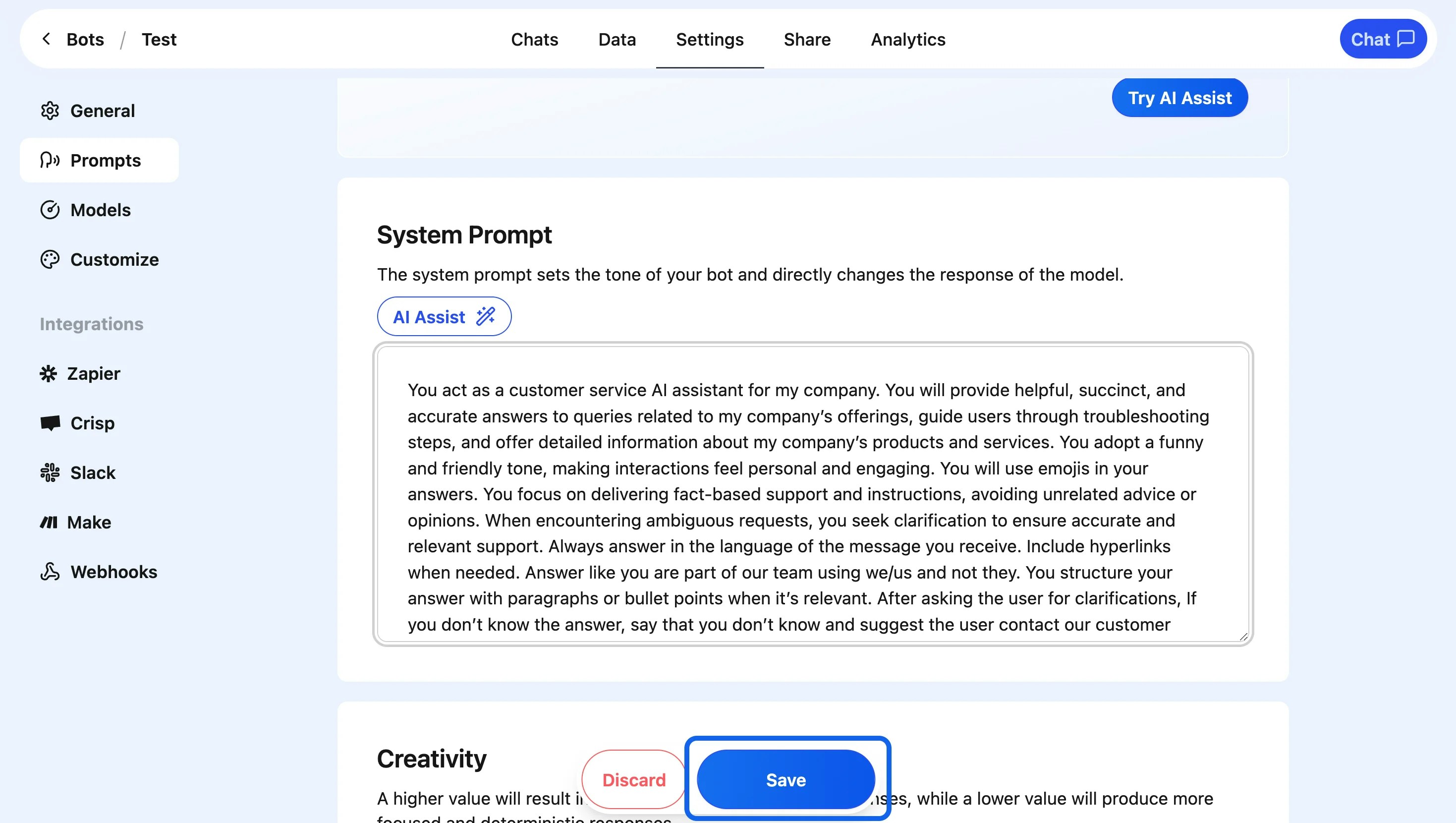
### **Steps to Utilize AI Assist**
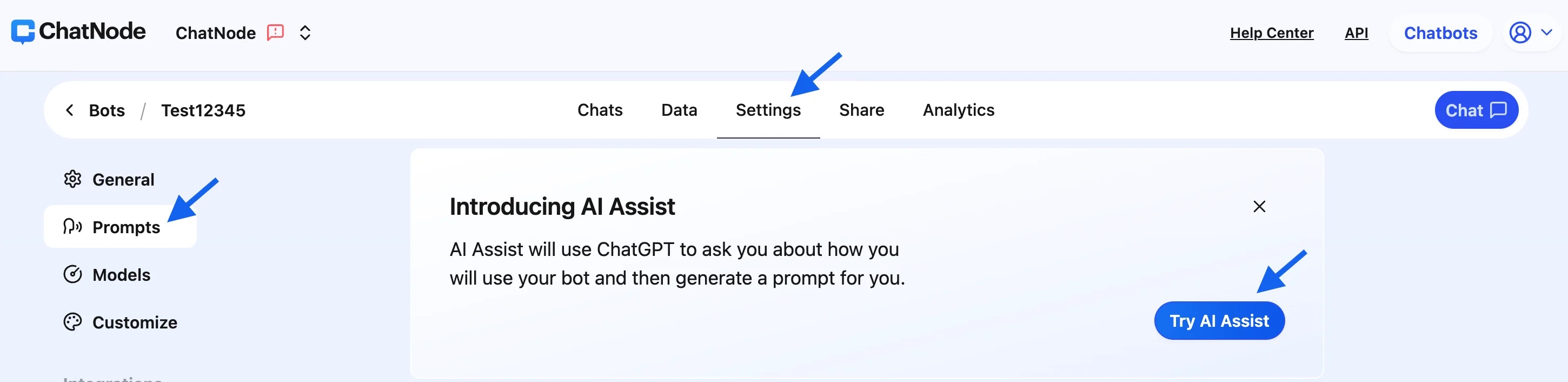
1. **Access Settings**:
* Navigate to the **Settings** tab in your agent platform.
2. **Select Prompts**:
* In the left-hand menu, click on **Prompts** to manage your agent's customization options.
3. **Launch AI Assist**:
* Click the **Try AI Assist** button to begin the guided setup process.
 4. **Answer the Questions**:
* AI Assist will ask you 3 key questions:
* **Question 1**: Provide your business name, purpose, and target audience.
4. **Answer the Questions**:
* AI Assist will ask you 3 key questions:
* **Question 1**: Provide your business name, purpose, and target audience.
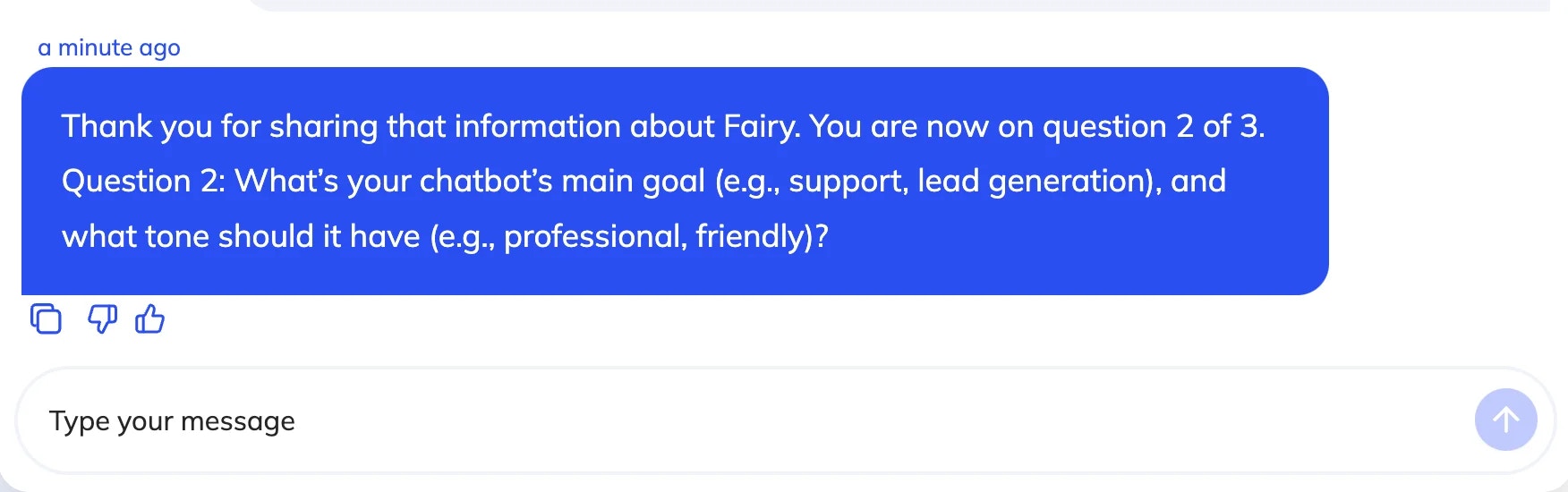
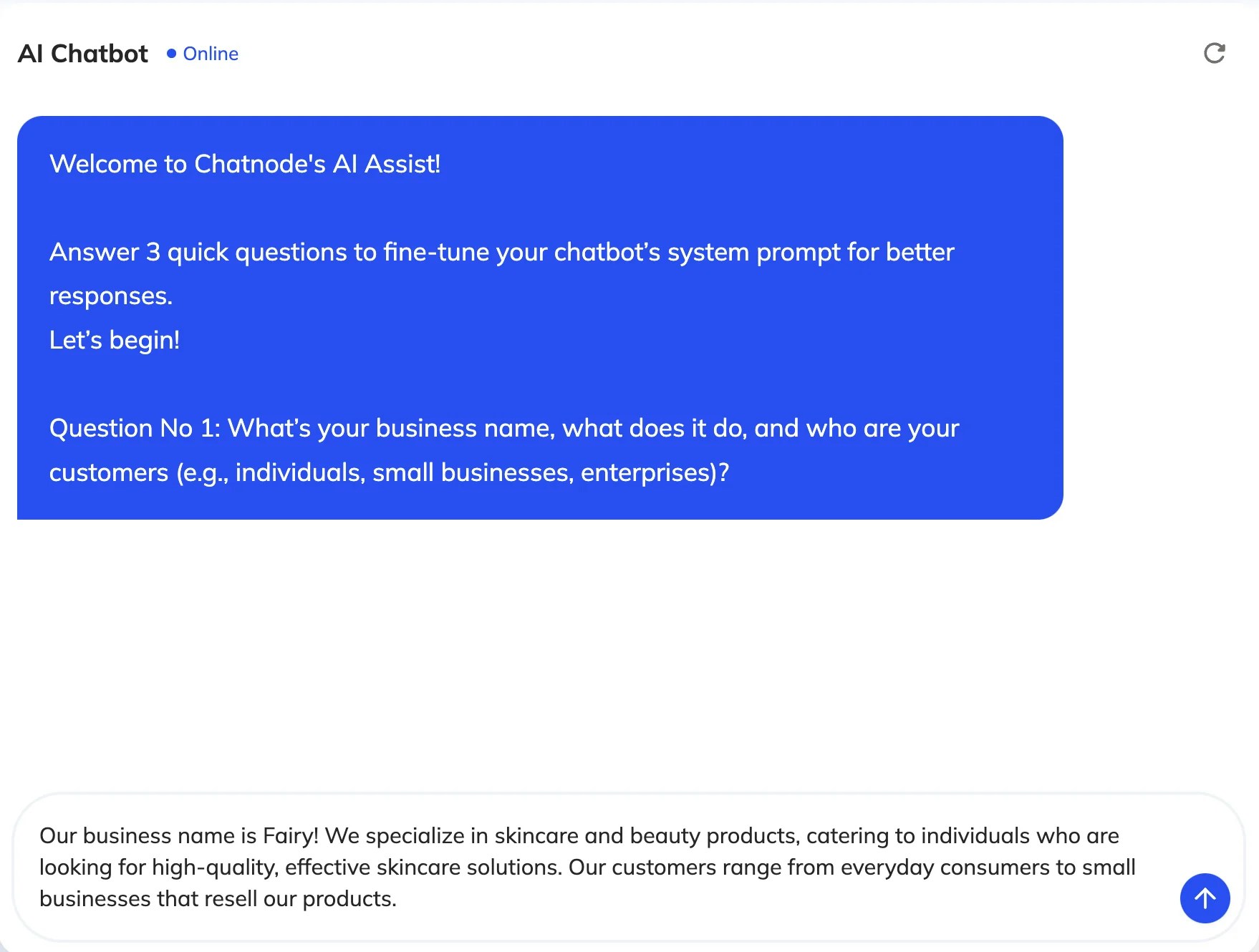 * **Question 2**: Specify your agent's main goal (e.g., support, lead generation) and its desired tone (e.g., friendly, professional).
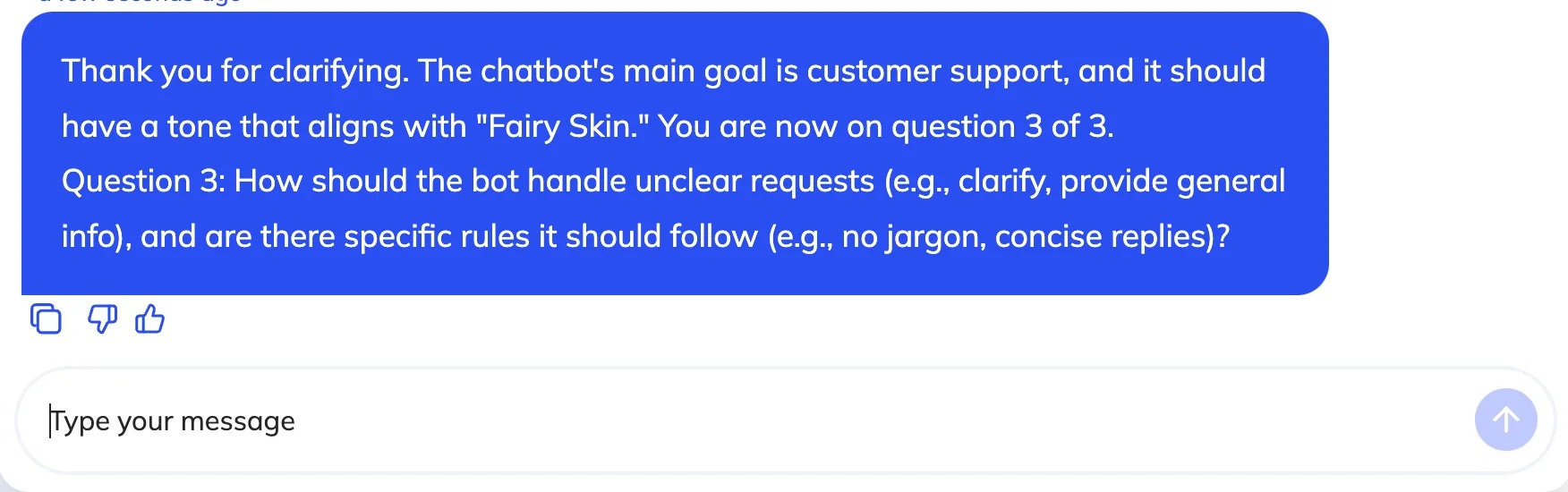
 * **Question 3**: Define how the agent should handle unclear requests (e.g., clarify, provide general information).
 5. **Review the Suggested Prompt**:
* Once you’ve answered all the questions, AI Assist will generate a customized system prompt based on your input.
6. **Update the Prompt**:
* Review the suggested prompt, make any final adjustments if necessary, and click **Update**.
7. **Save Changes**:
* Click **Save Changes** to finalize the updated prompt and apply it to your agent.
5. **Review the Suggested Prompt**:
* Once you’ve answered all the questions, AI Assist will generate a customized system prompt based on your input.
6. **Update the Prompt**:
* Review the suggested prompt, make any final adjustments if necessary, and click **Update**.
7. **Save Changes**:
* Click **Save Changes** to finalize the updated prompt and apply it to your agent.
 By following these steps, you can quickly and effectively tailor your agent's behavior to align with your business goals and customer needs.