> ## Documentation Index
> Fetch the complete documentation index at: https://docs.chatnode.ai/docs/llms.txt
> Use this file to discover all available pages before exploring further.
# Overview
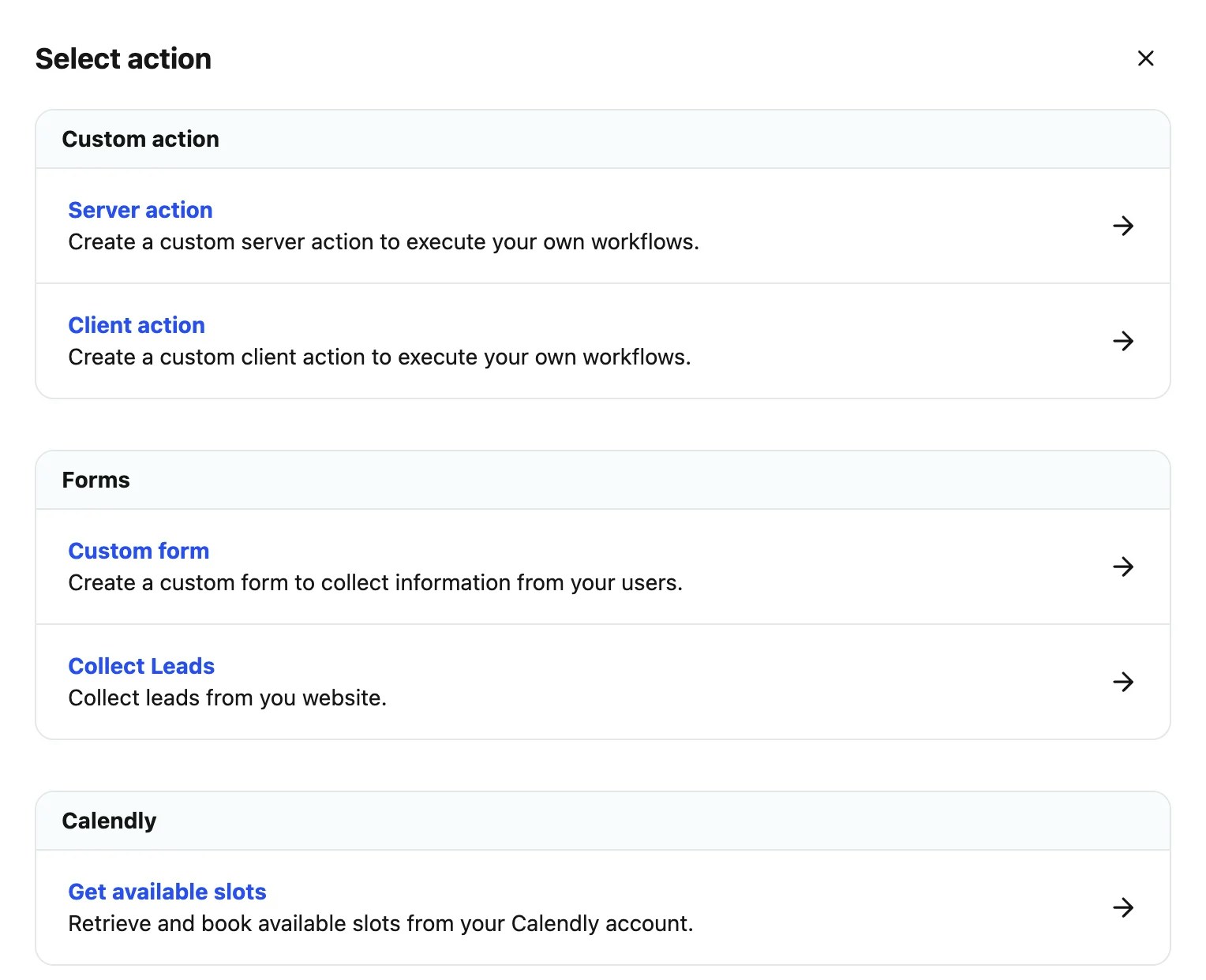
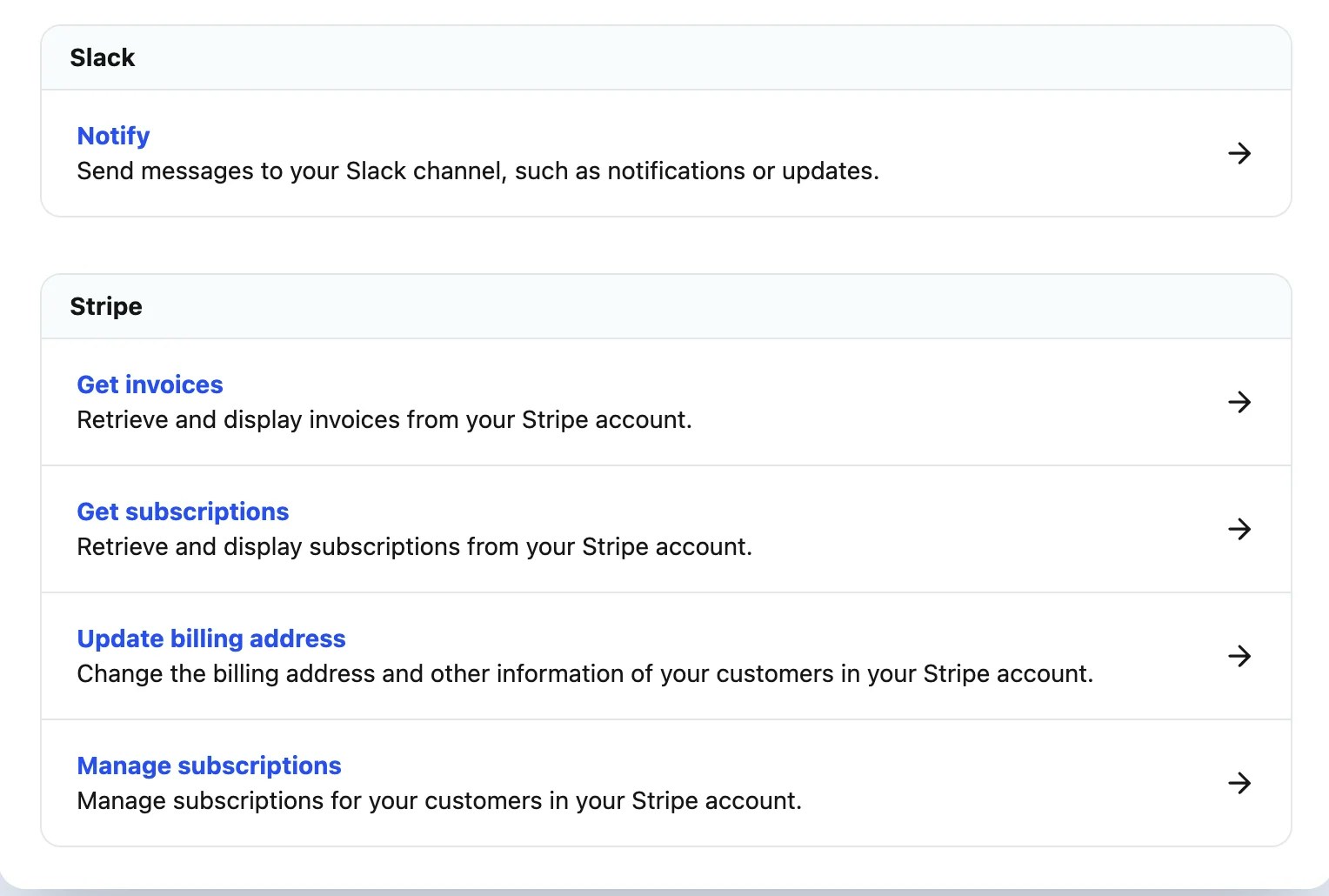
AI **Actions** are functions or tasks that your AI agent can trigger while interacting with users. These actions go beyond simple responses—they enhance conversations, improve efficiency, and allow the agent to perform meaningful tasks such as retrieving information, providing insights, or connecting with external systems.
### **Custom Action**
Custom Actions let you extend your AI agent’s capabilities by running custom code or integrating with other platforms. They’re ideal for handling unique scenarios or backend processes such as processing payments, answering specialized queries, or fetching data from external sources.
 **Example:** The AI agent checks a user’s subscription by querying a backend system and replies with, “You have a premium account.”
**Best For:**
* Advanced use cases requiring custom code
* Integrations with third-party tools (e.g., databases, payment systems)
* Workflows that can’t be covered with standard actions
### **Slack Action**
With Slack Actions, your AI agent can send messages to Slack channels or direct messages. This is perfect for automating notifications and keeping teams aligned during conversations.
**Example:** If a user mentions a relevant topic, the agent automatically sends a Slack message to your chosen channel to notify the team.
**Best For:**
* Team collaboration (e.g., sending lead or support updates to Slack)
* Automated internal communication
* Real-time alerts for support or sales
### **Calendly Action**
This action connects your AI agent with **Calendly** to display available time slots and let users book appointments directly in the chat.
**Example:** A user asks, “When can I book a call?” The agent retrieves your Calendly/Cal.com schedule and allows them to book instantly.
**Best For:**
* Appointment scheduling and calendar syncing
* Service providers offering consultations or meetings
* Businesses with ongoing scheduling needs
### **Collect Leads Action**
This action enables the AI agent to capture user details such as name, email, or phone number and automatically store them as leads on your dashboard.
**Example:** After a product inquiry, the AI agent prompts the user to fill out their details, saving them as a new lead.
**Best For:**
* Sales and marketing lead generation
* E-commerce businesses capturing customer data
* Automating and streamlining lead nurturing
These actions make your AI agent more **interactive**, **customizable**, and **powerful**, helping businesses create smarter, real-time, and results-driven conversations.
**Example:** The AI agent checks a user’s subscription by querying a backend system and replies with, “You have a premium account.”
**Best For:**
* Advanced use cases requiring custom code
* Integrations with third-party tools (e.g., databases, payment systems)
* Workflows that can’t be covered with standard actions
### **Slack Action**
With Slack Actions, your AI agent can send messages to Slack channels or direct messages. This is perfect for automating notifications and keeping teams aligned during conversations.
**Example:** If a user mentions a relevant topic, the agent automatically sends a Slack message to your chosen channel to notify the team.
**Best For:**
* Team collaboration (e.g., sending lead or support updates to Slack)
* Automated internal communication
* Real-time alerts for support or sales
### **Calendly Action**
This action connects your AI agent with **Calendly** to display available time slots and let users book appointments directly in the chat.
**Example:** A user asks, “When can I book a call?” The agent retrieves your Calendly/Cal.com schedule and allows them to book instantly.
**Best For:**
* Appointment scheduling and calendar syncing
* Service providers offering consultations or meetings
* Businesses with ongoing scheduling needs
### **Collect Leads Action**
This action enables the AI agent to capture user details such as name, email, or phone number and automatically store them as leads on your dashboard.
**Example:** After a product inquiry, the AI agent prompts the user to fill out their details, saving them as a new lead.
**Best For:**
* Sales and marketing lead generation
* E-commerce businesses capturing customer data
* Automating and streamlining lead nurturing
These actions make your AI agent more **interactive**, **customizable**, and **powerful**, helping businesses create smarter, real-time, and results-driven conversations.