> ## Documentation Index
> Fetch the complete documentation index at: https://docs.chatnode.ai/docs/llms.txt
> Use this file to discover all available pages before exploring further.
# Quick Start
> Kickstart your integration with the ChatNode API!
To ensure secure access to the ChatNode API, all endpoints require authentication using a Bearer token. This token should be included in the header of your API requests. To get your API key (Bearer token), just follow these simple steps:
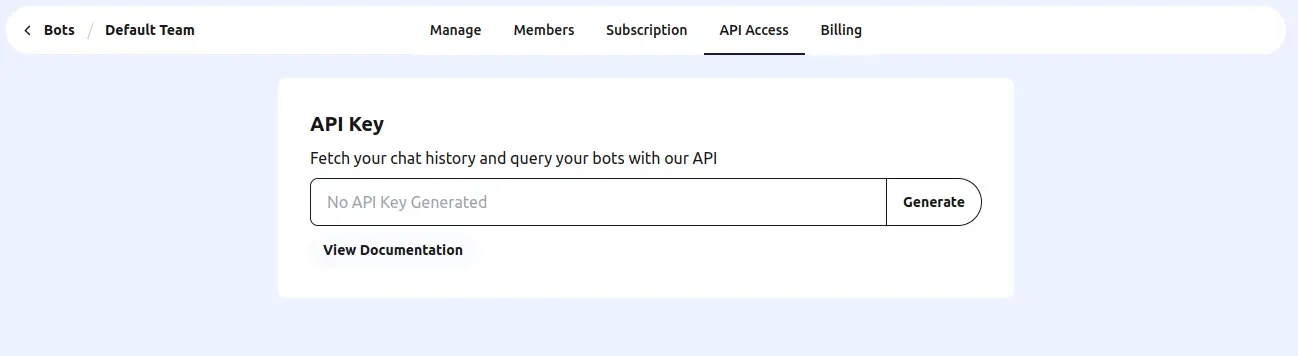
To generate an API key, go to Team Settings and navigate to the API Access
tab. There, you'll find the option to generate a new API key. Simply click
the Generate button, and your key will be ready for use.
 Remember, keep your API key confidential to protect your resources.
## Confirm API Key Validity
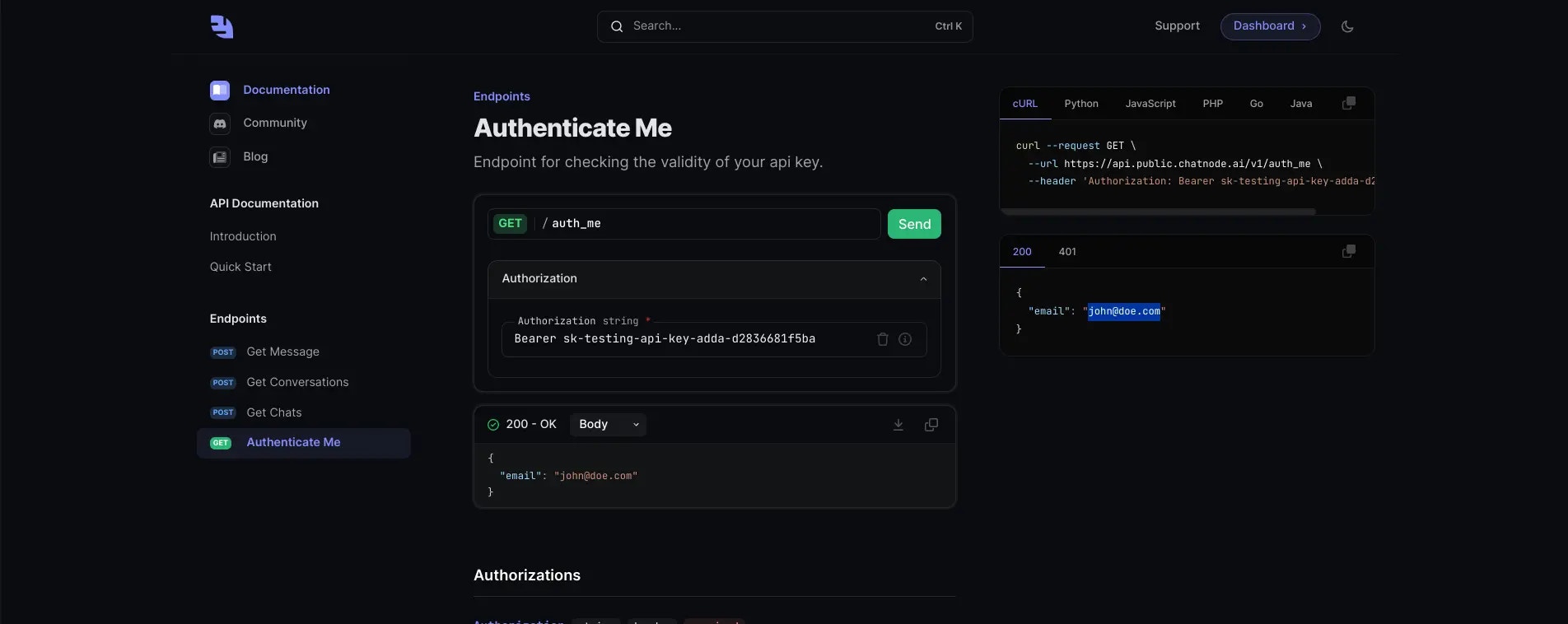
To ensure that your API key is valid and active, you can use the [Authenticate Me](/endpoint/authenticate-me) endpoint provided by ChatNode. This endpoint allows you to verify your API key's authenticity and view associated user information. Follow the steps below to check your API key using the [Authenticate Me](/endpoint/authenticate-me) endpoint:
In the Authorization field, input your API key.
Remember, keep your API key confidential to protect your resources.
## Confirm API Key Validity
To ensure that your API key is valid and active, you can use the [Authenticate Me](/endpoint/authenticate-me) endpoint provided by ChatNode. This endpoint allows you to verify your API key's authenticity and view associated user information. Follow the steps below to check your API key using the [Authenticate Me](/endpoint/authenticate-me) endpoint:
In the Authorization field, input your API key.
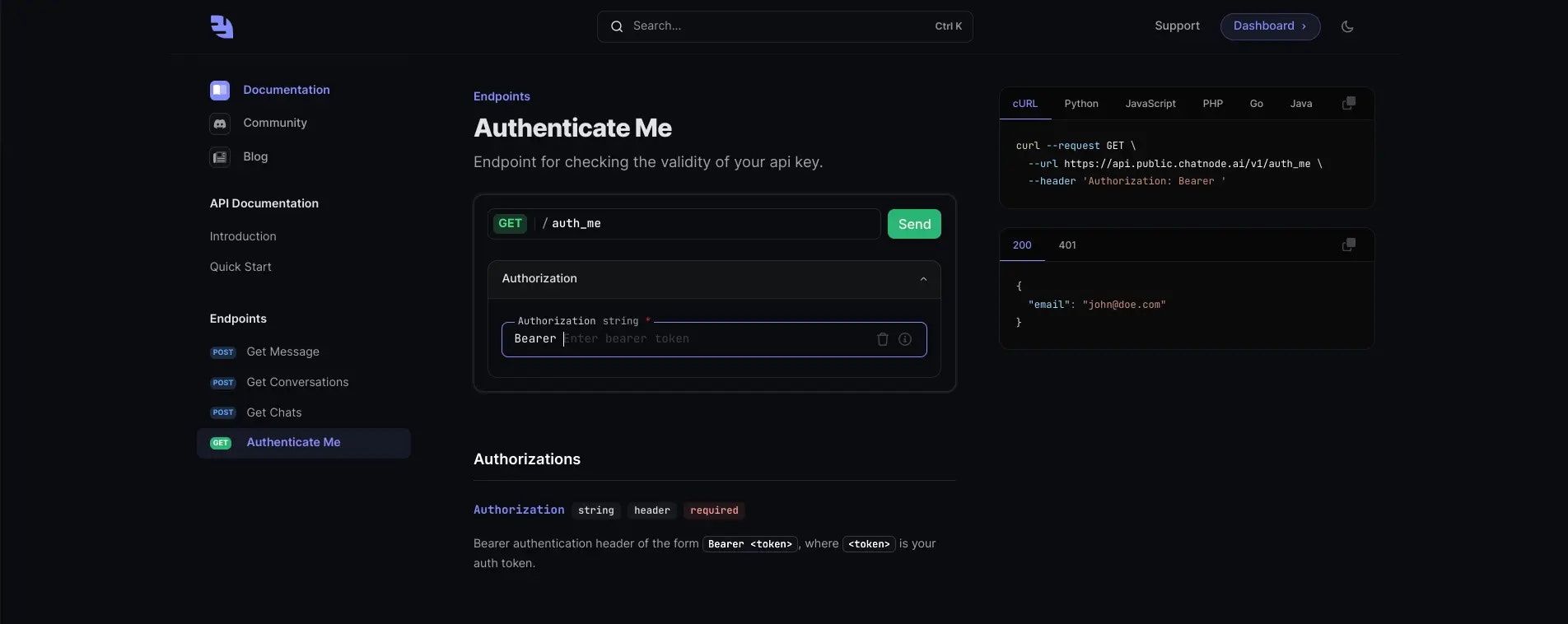 After entering your API key, click the 'Send' button to submit your request.
The server will process your request. If your API key is valid, You will
receive a response from the server with your email. If there is an issue
with your API key, the response will include an error message detailing the
problem.
After entering your API key, click the 'Send' button to submit your request.
The server will process your request. If your API key is valid, You will
receive a response from the server with your email. If there is an issue
with your API key, the response will include an error message detailing the
problem.